Touchpoint: A Simple Visual Tool for Better Communication
Visual communication is everywhere—from websites to presentations, infographics to marketing materials. In this visually driven world, having the right tools makes all the difference. Enter Touchpoint, a versatile symbol designed to represent key interaction points in customer service, user experience, and digital design.
What Is Touchpoint?
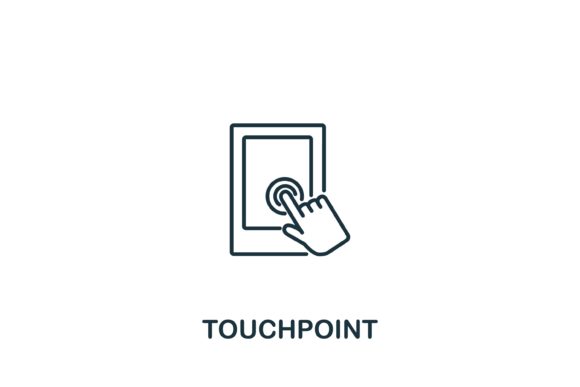
Touchpoint is a minimalist visual symbol that represents a moment of interaction between a user, customer, or audience and a system, service, or brand. It’s often used in customer journey maps, web design templates, and infographics to highlight critical interaction points.
The Touchpoint icon typically features a simple line-based design that’s easy to recognize and integrate into various visual formats. It comes in multiple file types—like EPS and JPG—making it accessible for both design professionals and casual users.
Why Use Touchpoint?
Visual clarity matters. Whether you're explaining a customer journey, mapping user behavior, or designing a presentation, Touchpoint helps you communicate complex ideas with simplicity. It’s not just a symbol—it’s a tool that enhances understanding, guides focus, and improves the visual flow of your content.
Because of its clean design, Touchpoint integrates seamlessly into a wide range of digital and print materials. You can scale it, recolor it, or combine it with other icons without losing its clarity or meaning.
Real-World Uses for Touchpoint
Let’s look at how different people use Touchpoint across various contexts:
1. For Customer Service Teams
Customer service professionals often map out the customer journey to identify where support is most needed. Touchpoint icons can mark each interaction point—like a phone call, chatbot message, or email follow-up—making it easier to visualize the flow of engagement.
For example, a team lead might use Touchpoint in a flowchart to show how customers move from initial inquiry to resolution, helping identify bottlenecks or areas for improvement.
2. In Web Design and UX
Web designers and user experience specialists use Touchpoint to represent user interactions on a website or app. Whether it's clicking a button, filling out a form, or navigating a menu, the icon helps illustrate key moments in the user journey.
Imagine you're presenting a new website layout to stakeholders. Touchpoint icons can highlight the main action points on each page, showing how users are expected to engage at every stage.
3. In Marketing Presentations
Marketing professionals often use visuals to explain campaign strategies. Touchpoint icons can indicate where a customer interacts with a brand across different channels—social media, email, in-store, or through ads.
This makes it easier to show how multiple platforms work together to create a cohesive experience. It also helps teams align their efforts around key interaction points to improve engagement and conversion.
4. For Educators and Trainers
Teachers and corporate trainers use Touchpoint in lesson plans, instructional materials, and process diagrams. It’s especially useful when explaining step-by-step procedures or user processes.
For instance, an instructor teaching digital marketing might use Touchpoint to show how a customer interacts with a brand from first click to final purchase. This visual aid helps learners grasp the flow of digital interactions more easily.
5. In Business Planning and Strategy
Entrepreneurs and business strategists often create customer journey maps to understand user behavior. Touchpoint icons help mark key stages in the customer lifecycle—awareness, consideration, purchase, support, and loyalty.
By clearly identifying each touchpoint, business owners can assess where they need to improve their service, messaging, or product offerings to enhance the overall customer experience.
Who Benefits from Using Touchpoint?
- Designers appreciate its clean, scalable vector format that works well in both print and digital projects.
- Marketers use it to visually map out customer interactions and improve campaign strategies.
- Customer service teams use it to track and improve support touchpoints across multiple platforms.
- Educators find it useful for simplifying complex processes and making lessons more engaging.
- Small business owners use it to better understand and optimize the customer journey.
How to Choose the Right Touchpoint for Your Needs
When selecting a Touchpoint icon, consider the context in which you’ll use it. Do you need it for a high-resolution print project or a digital presentation? Will you need to edit the colors or size? Touchpoint comes in both EPS and JPG formats, so you can choose based on your technical needs.
Also, think about how the icon will fit into your overall design. If you’re using a modern, minimalist style, the Touchpoint icon blends in effortlessly. If you’re working with a more detailed or complex visual layout, make sure the icon remains legible and distinct.
Practical Tips for Using Touchpoint Effectively
- Keep it consistent: Use the same style and size of Touchpoint icons throughout your design to maintain visual harmony.
- Pair it with labels: Add short text descriptions to clarify what each touchpoint represents, especially in complex diagrams.
- Use it for storytelling: Whether you're presenting data or explaining a process, Touchpoint helps guide your audience through the narrative.
- Test its visibility: Make sure the icon is clearly visible on different screen sizes and print formats.
Getting Started with Touchpoint
If you're new to using Touchpoint, start by downloading the EPS or JPG files from a reliable source. These files are easy to edit and can be imported into most design software like Adobe Illustrator, Photoshop, or Canva.
Experiment with placing the icon in different layouts to see how it enhances your visual communication. Whether you're creating a customer journey map, a website wireframe, or a presentation slide, Touchpoint can help you convey your message more clearly and professionally.